
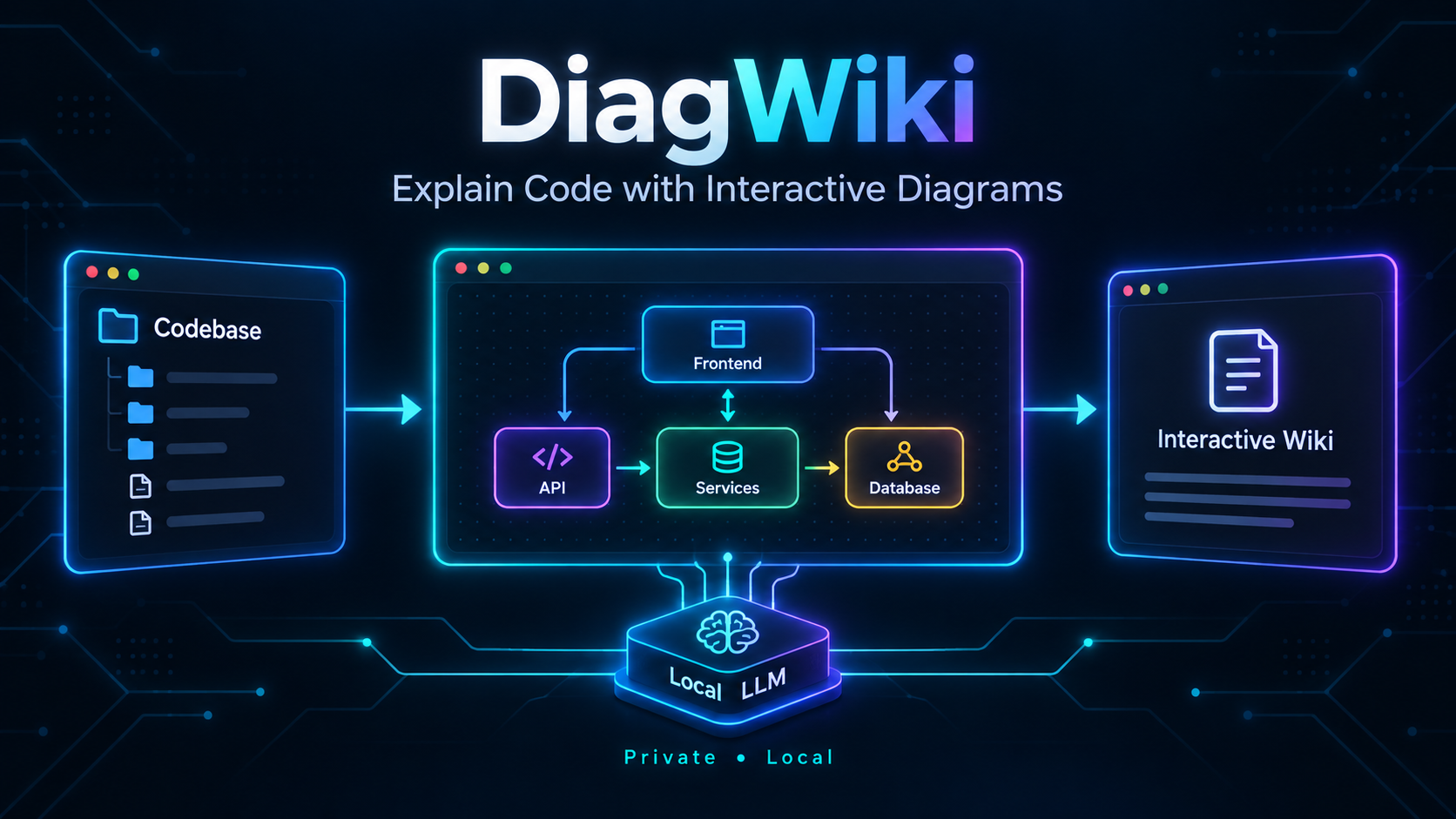
DiagWiki - Agentic AI Tool for Structured Diagram Generation
Motivation Behind
During fall semester of 2025, I enrolled in software engineering course, and our team’s project focused on github repository architecutre diagramming.
At that time, we used NodeJS as backend and call huggingface API for LLM related architecture analysis and diagram generation. However, several limitations were observed:
- Huggingface API have very limited quota for free users, and we have to switch multiple accounts only to test our system.
- We have to use Render to host our backend server, with limited resources. So, that’s why we call huggingface API - we can’t host a local LLM-capable backend server on Render.
- Also, the diagram generation just allows to generate one general diagram for the whole repository, which is not very flexible (although this is a prompt engineering issue).
New Project - DiagWiki
Therefore, I launched a new personal project during winter break 2026 to address these issues. The new project, named DiagWiki, is an agentic AI tool that can generate structured diagrams for github repositories with more flexibility and customizability.
DiagWiki’s main interface showing the folder picker, section list, and interactive diagram viewer
Core Design Philosophy
The key insight was shifting from text-heavy documentation to diagram-first visualization. When trying to understand a new codebase, I found myself constantly drawing mental models - flowcharts for API flows, sequence diagrams for request handling, class diagrams for data structures. Why not let AI do this automatically?
DiagWiki analyzes your codebase and generates multiple focused diagrams, each explaining a specific aspect:
- Flowcharts for logic and data flow
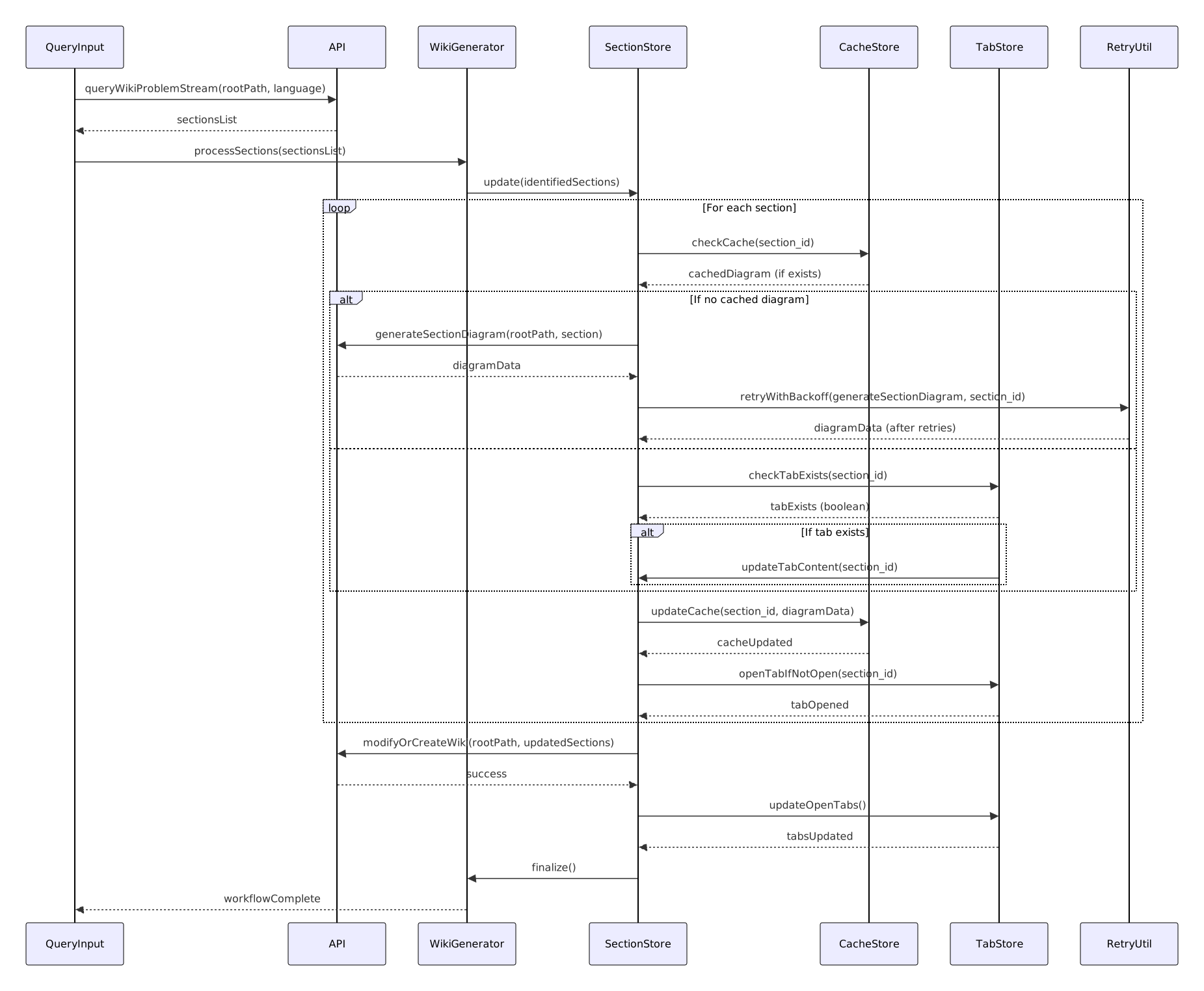
- Sequence diagrams for API interactions and event handling
- Class diagrams for data structures and relationships
- State diagrams for UI state management and workflows
- ER diagrams for database schemas
Use DiagWiki to analyze DiagWiki itself!
Here are some real examples of high-quality diagrams generated by DiagWiki when analyzing its own codebase:
State Diagram

Sequence Diagram
Class Diagram

Flowchart

Technical Architecture
The architecture consists of three main layers:
1. Backend (Python + FastAPI)
I chose Python because of its mature AI/ML ecosystem. The backend handles:
- RAG (Retrieval-Augmented Generation): Uses AdalFlow framework with ChromaDB for vector storage. When generating a diagram, it retrieves relevant code snippets to provide context to the LLM.
- LLM Integration: Connects to Ollama running locally with models like
qwen3-coder:30bfor code understanding andnomic-embed-textfor embeddings. - Diagram Generation Pipeline: A multi-iteration process that identifies sections, refines them, and generates Mermaid diagrams with proper syntax validation.
- Caching System: Stores generated diagrams to avoid regeneration, significantly improving performance.
2. Frontend (SvelteKit + TypeScript)
I picked Svelte for its lightweight footprint and reactivity model - perfect for handling real-time diagram rendering:
- Mermaid.js Integration: Renders diagrams directly in the browser with zoom, pan, and export capabilities.
- Interactive Tabs: Manage multiple open diagrams with intelligent caching.
- Retry Mechanism: Automatic retry with exponential backoff for failed diagram generations.
- i18n Support: Multi-language interface supporting 9 languages.
High-level system architecture of DiagWiki
3. Local LLM (Ollama)
Running everything locally was non-negotiable. Ollama provides:
- Zero API costs
- Complete data privacy (code never leaves your machine)
- No rate limits or quota concerns
- Consistent performance
Try It Yourself
DiagWiki is open source and available on GitHub. The setup is straightforward:
- Install Ollama and pull the required models
- Clone the repository and set up the environment
- Run
./launch.shto start both backend and frontend - Open your browser and start exploring!
Check out the Demo Video to see it in action:
Conclusion
Building DiagWiki taught me that good documentation isn’t about having more text - it’s about having the right visualization at the right time. By combining local LLMs, RAG, and diagram generation, we can create living documentation that evolves with the codebase.
The shift to local deployment also reinforced a key principle: developer tools should empower, not surveil. Your code is yours, and it should never need to leave your machine to be understood.
If you’re struggling to onboard to complex codebases or want to improve your project documentation, give DiagWiki a try. I’d love to hear your feedback and ideas for improvement!