
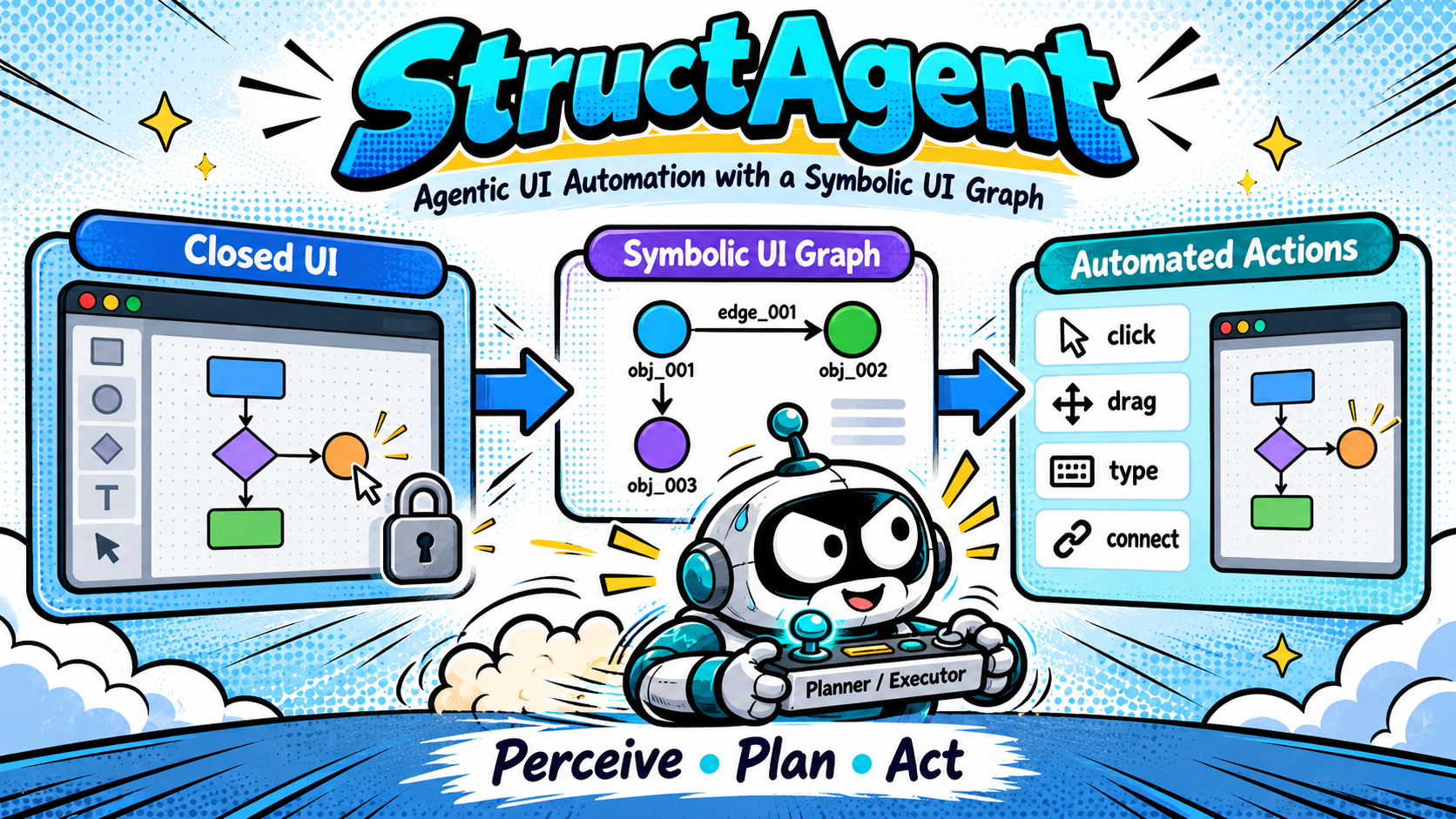
StructAgent - Driving Closed UIs with a Symbolic UI Graph
This past spring I took CSE252D at UCSD, the advanced computer vision course, and for the final project I picked something I had been curious about for a while - can an agent actually use a desktop app that gives you no API at all? I worked on this one alone from late April to early June, and all the code and notebooks are in the github repo.
The problem
A lot of “AI does things for you” demos are really just API calls with a chat window on top. That works until the app you care about has no API. draw.io, iMovie, most design tools - you get a window, a sidebar, and a canvas, and that is it. The only interface is the screen.
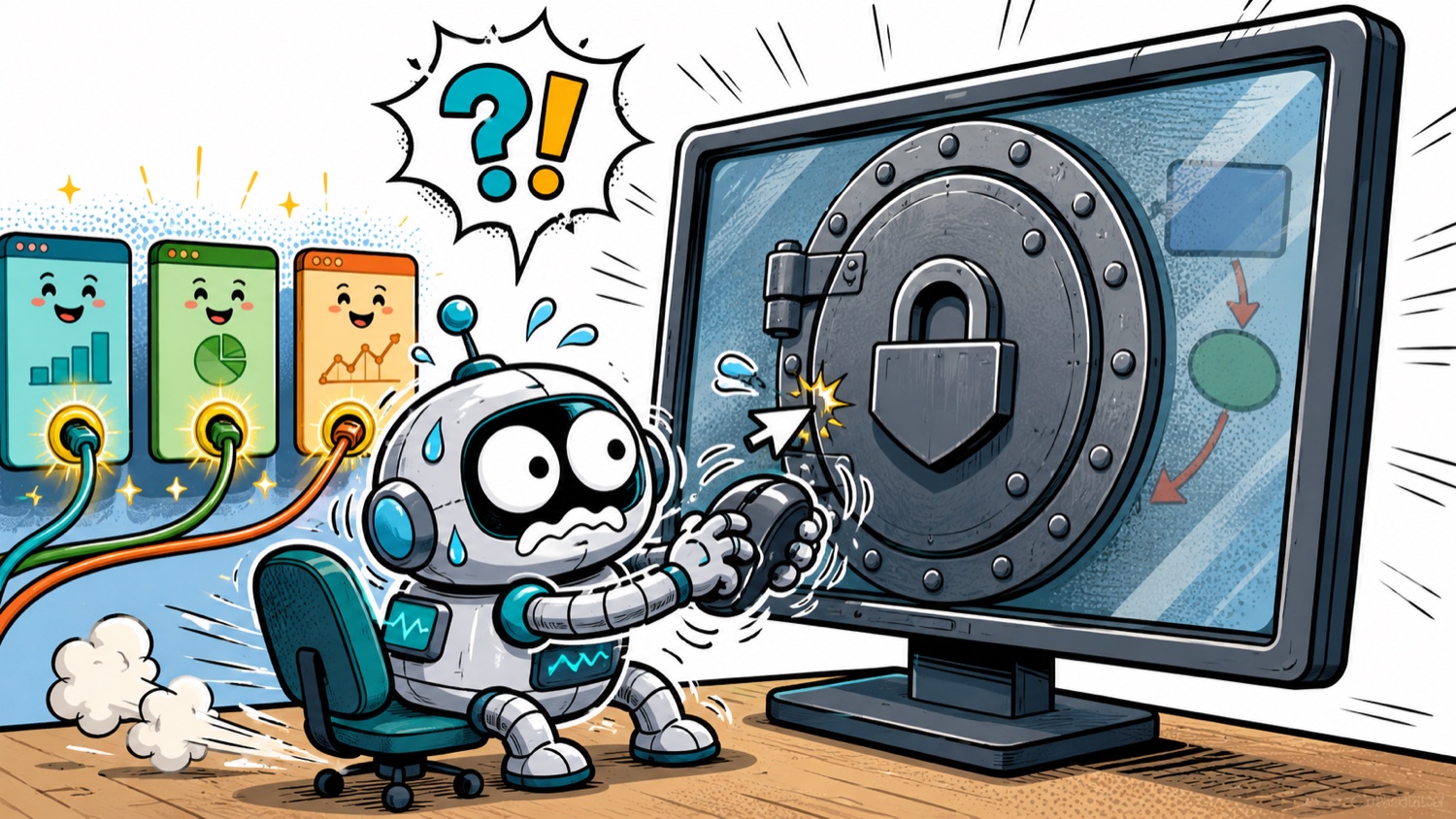
The obvious approach is to hand screenshots to a vision model and let it output click coordinates. I tried that first and it was pretty bad. The model would be off by twenty pixels, miss which shape was selected, or confidently click a menu that wasn’t open. Every step is also a full inference call, so a ten-step task means ten chances to drift.
So I flipped it around: the model should never see a pixel coordinate at all.
Perception - building the UI graph
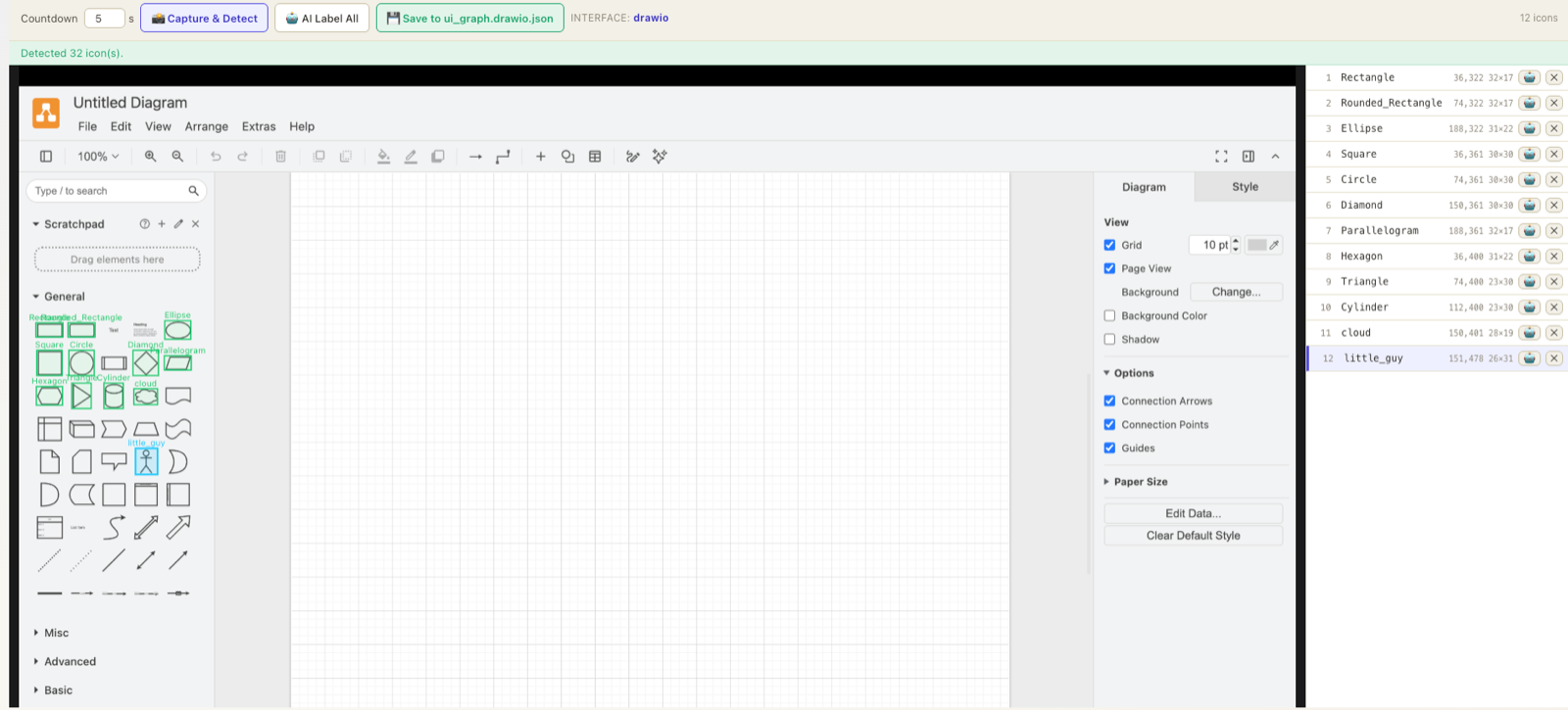
This is the part that actually belongs in a CV course. Before any task runs, StructAgent takes one screenshot of the app and finds the sidebar icons with plain OpenCV - grayscale, Canny edges, a 3x3 dilation to close gaps, then findContours. Candidate boxes get filtered by size (20-70 px) and aspect ratio (0.4 to 2.5), and near-duplicates are dropped with a simple distance-based NMS.
That gives boxes but no names. Each crop then goes to a local VLM (qwen3-vl:4b through ollama) which labels it, and the result is written to state/ui_graph.json. In the run below it detected 32 candidate icons and I kept the 12 that mattered.
There is a second detector for selection chrome. When you click a shape in draw.io, it draws little cyan handles around it - resize dots on the corners, extend arrows on the edges, a rotate icon on top. Those have a very consistent colour, so I mask them in HSV rather than fighting with edges, then classify each blob by its position relative to the shape’s centre.
Knowing where the handles are is what makes resize, extend and rotate possible at all, since none of those have a keyboard shortcut.
Two graphs, no coordinates
There are two pieces of state. The UI graph is the calibrated sidebar above - it changes only when the app window changes. The scene graph is what is currently on the canvas, stored as obj_001, edge_001 and so on with their labels and geometry.
The agent only ever sees the scene graph. It says “connect obj_002 to obj_005”, and the framework looks up the coordinates and does the dragging. The LLM cannot be off by twenty pixels because it never emits a pixel.
The tool tree
Every action is a node in a three-level tree. L0 are raw pyautogui atoms, L1 are single semantic steps that know something about draw.io, and L2 are compounds built purely by listing other tools.
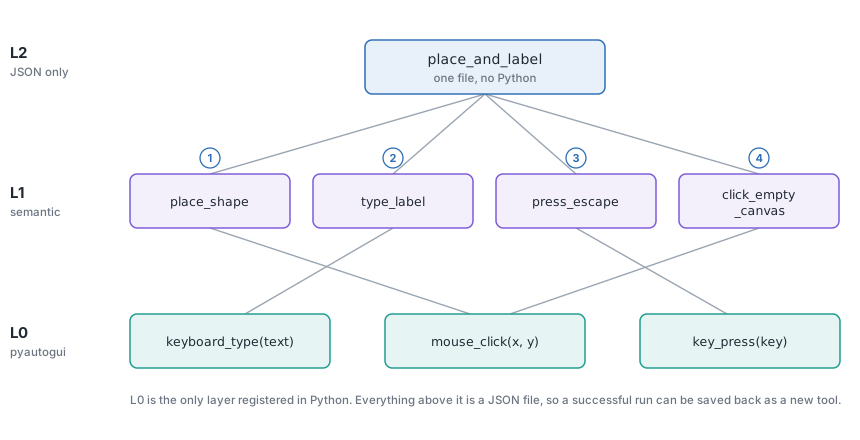
Only L0 is written in Python. Everything above it is just a JSON file:
{
  "name": "place_and_label",
  "params": ["tool_name", "label"],
  "steps": [
    {"tool": "place_shape",       "params": {"tool_name": "$tool_name"}},
    {"tool": "type_label",        "params": {"text": "$label"}},
    {"tool": "press_escape",      "params": {}},
    {"tool": "click_empty_canvas","params": {}}
  ]
}
The current catalog is 6 L0 + 21 L1 + 4 L2 = 31 tools. Because a plan and a compound tool use the exact same {tool, params} schema, a run that worked can be saved straight back into the catalog as a new tool, and the agent picks it up on the next startup.
Plan once, then stop thinking
The bigger change was moving from an executor that picks one tool per turn to a planner that reads the task plus the scene graph and emits the whole ordered sequence in a single call. After that the orchestrator just runs the steps - zero inference until something goes wrong.
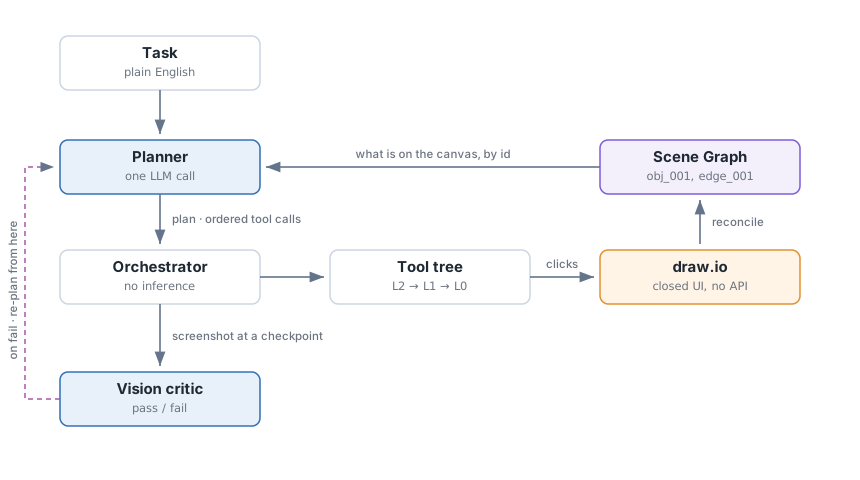
To make this work every tool parameter carries a type, so the planner knows that tool_name has to be one of the detected sidebar shapes and that source_id has to be an existing obj_NNN or the label of something the plan creates earlier.
Checkpoints and repair
A plan that runs blind will happily keep going after a drag didn’t land. So any step can carry a checkpoint - the run pauses there, grabs a screenshot, and waits.
I originally gated this on the scene graph, which was a mistake. The scene graph only knows about mutations the framework itself made, so the moment the real UI drifts from it - a dialog stealing focus, a drag that missed - it lies to you without any sign. The screenshot is the only honest source, so now a vision critic judges the screenshot against the checkpoint description, and the structural assertions are demoted to hints.
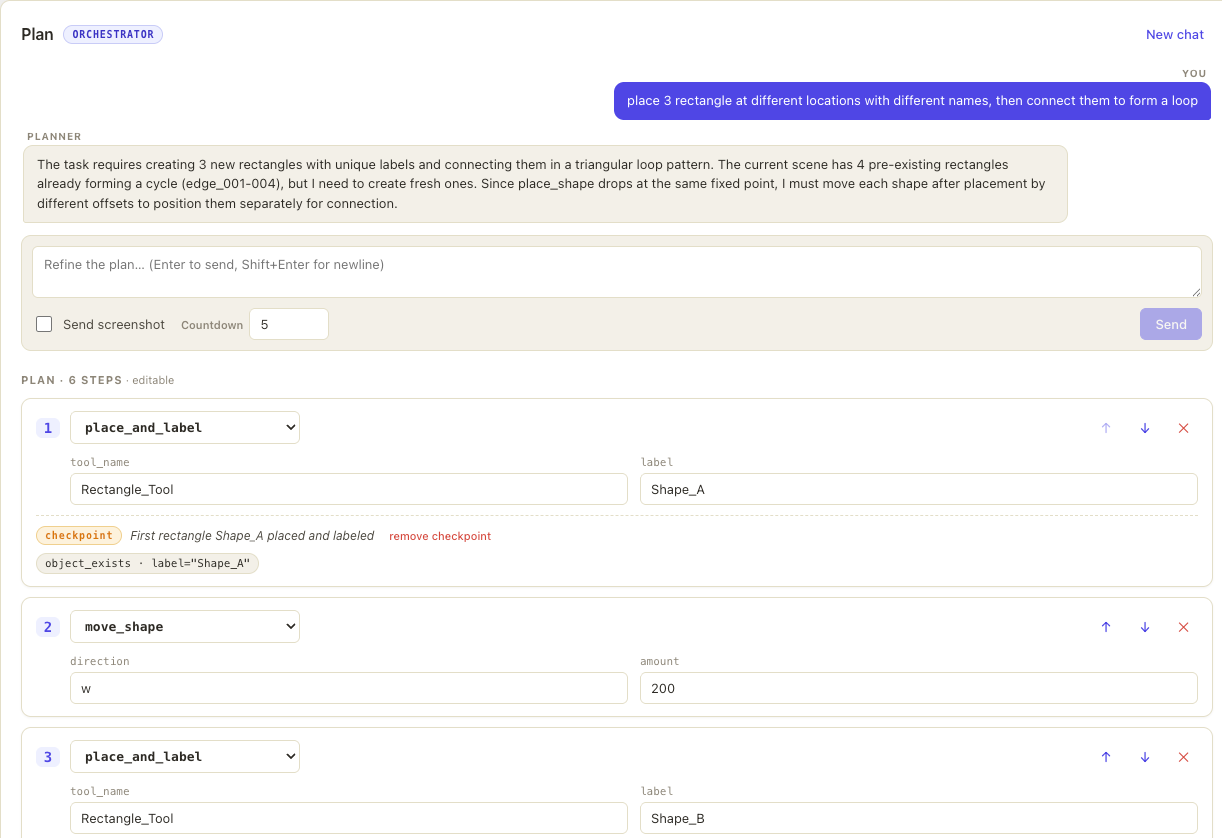
The frontend wraps all of this. You chat a task, get a draft plan, edit any step by hand, run it, and approve or reject at each checkpoint (or let the critic decide). If a step is wrong you flag it with a note, and the planner re-plans from the current canvas rather than starting over, which matters because half the work is usually already done.
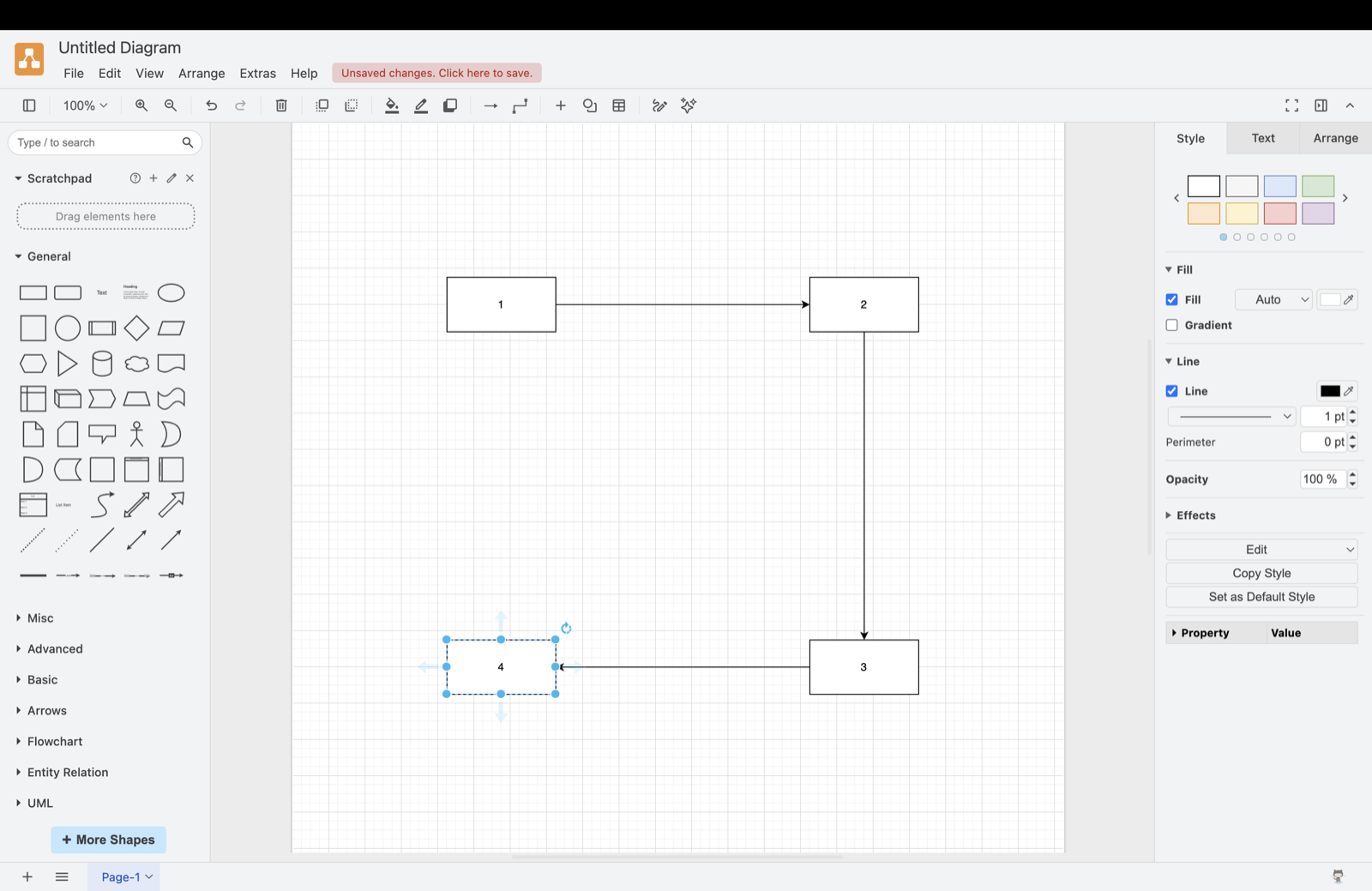
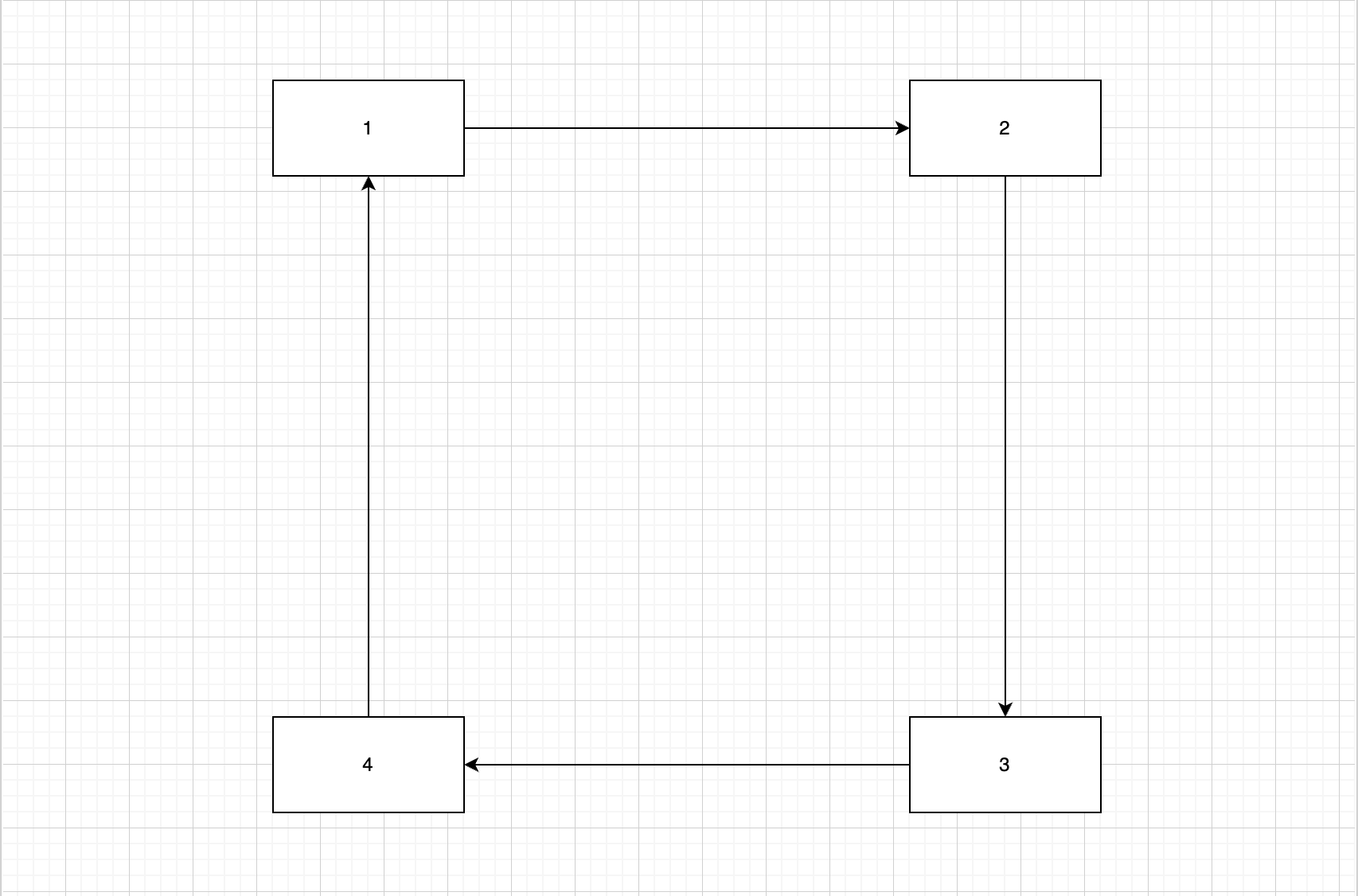
Here is a four-box loop it drew from a single sentence:
What still doesn’t work
- Uppercase letters get dropped during typing -
pyautogui.typewritedoesn’t handle Shift, so “Database” comes out as “atabase”. Easy fix, just haven’t done it. - The VLM labels each icon crop with no group context, so six visually similar rectangles all come back as
Rectangle_Tool_1..6and the planner has to guess. - Everything is calibrated to one window size. Move or resize the app and you re-run perception.
I also only have qualitative results - things it can and can’t draw - not a proper benchmark, which is the honest weak point of the project.
Takeaway
The thing I actually learned is that the interesting part wasn’t the model. Swapping in a bigger LLM barely moved the needle. What moved it was giving the model a representation it could reason about - named objects instead of pixels - and letting deterministic code handle everything below that. The vision work ended up being in service of building that representation, which is not how I expected a CV project to go.
Everything runs locally through ollama, so there are no API costs and nothing leaves the machine. draw.io is just the proof of concept - the domain plugin is about 200 lines, and iMovie is the next one I want to try.